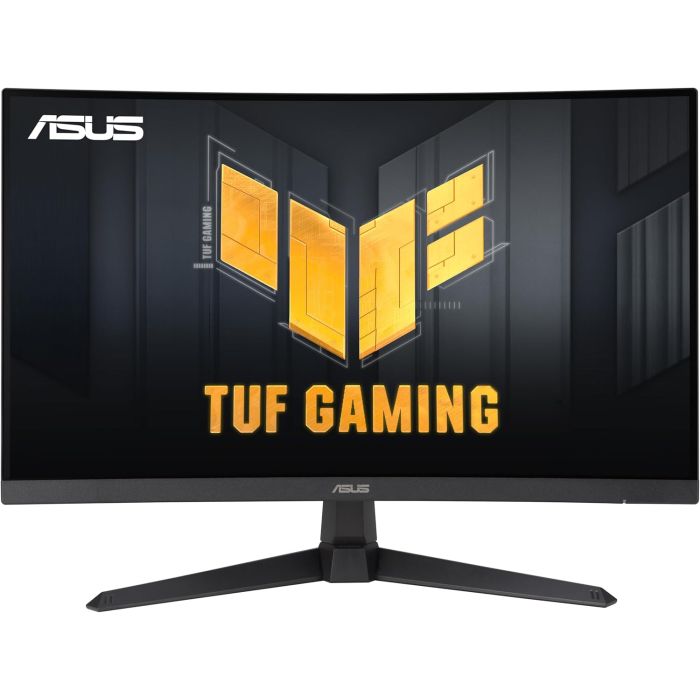
ASUS TUF Gaming VG27VQM1B Gaming Monitor - 27 Inch Full HD, Curved, 280Hz, ELMB, 1ms Response Time, FreeSync Premium, 90% DCI-P3, DisplayWidget Center
27-inch full HD 1500R curved gaming monitor with ultra-fast 280Hz refresh rate for professional gamers and immersive gameplay
1ms (GTG) response time for smooth gameplay and ASUS Extreme Low Motion Blur (ELMB) technology to further reduce ghosting and motion blur
FreeSync Premium ensures a seamless gaming experience by enabling VRR (variable refresh rate) by default.
Shadow Boost enhances image details in dark areas and brightens scenes without overexposing bright areas
The TUF Gaming VG27VQM1B is a 27-inch FHD (1920 x 1080) 1500R curved gaming monitor with an ultra-fast refresh rate of 280 Hz and a response time of 1 ms (GTG) for extremely immersive gameplay. It features exclusive Extreme Low Motion Blur technology and AMD FreeSync Premium to eliminate ghosting and tearing. It also covers 90% of the DCI-P3 colour gamut for high contrast and lifelike colours.
280 Hz refresh rate and 1 MS (GTG) response time
TUF Gaming VG27VQM1B delivers stunning images from all angles with a 1500R curvature that ensures every point is equidistant from your eyes. With a refresh rate of 280 Hz, delays and motion blur are minimized to help you maintain the upper hand in first-person shooters, racing games, real-time strategies and sports titles. With this ultra-fast refresh rate, you can play at the highest visual settings and instantly respond to what is seen on the screen - so you can land the first stroke.
Extreme low motion blue (ELMB)
ASUS Extreme Low Motion Blur (ELMB) technology provides a 1ms GTG response time to eliminate ghosting and motion blur. It makes moving objects appear even sharper, making gameplay smoother and more responsive.
COMPREHENSIVE CONNECTIVITY
A wide range of connectivity options, including two HDMI 2.0 and DisplayPort 1.2, ensures broad compatibility.
Intuitive controls:
DisplayWidget Center software has improved the user interface so that users can easily change monitor settings with the mouse without having to go to the OSD menu.